
How to Navigate the Network
To get started, click on the Community Network tab at the top of the page or hover over it to open the menu.
From there, you can select the section you’d like to explore.
If you want to view everything in one place, click Full Community Network to access the full database, including offers, requests, free resources, and organizations or community members. If you’re looking for something specific, you can select a section directly from the dropdown menu.
Within the database, you can filter or sort to find what you’re looking for, or scroll to browse what’s available.
To submit something to the network, click any of the buttons labeled “Submit” or “Add Resource” throughout the site and fill out the form.
To access the full database, you’ll need to become a member and complete a short questionnaire.
Emergency services and support resources are accessible to everyone without a login.
Any other questions, comments, or concerns reach out through the form below at the bottom of this page or email angelabeckerhealing@gmail.com.


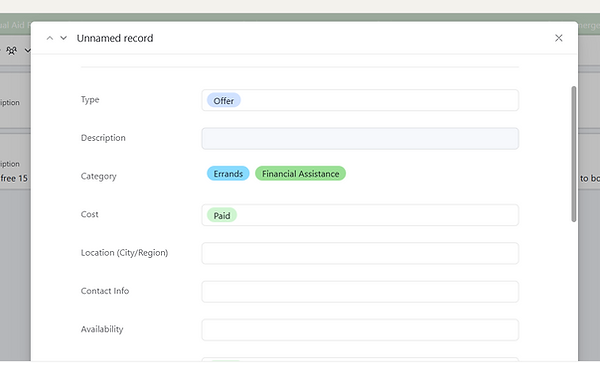
When you click on a resource you can view more information on it including websites, contact info, and more.